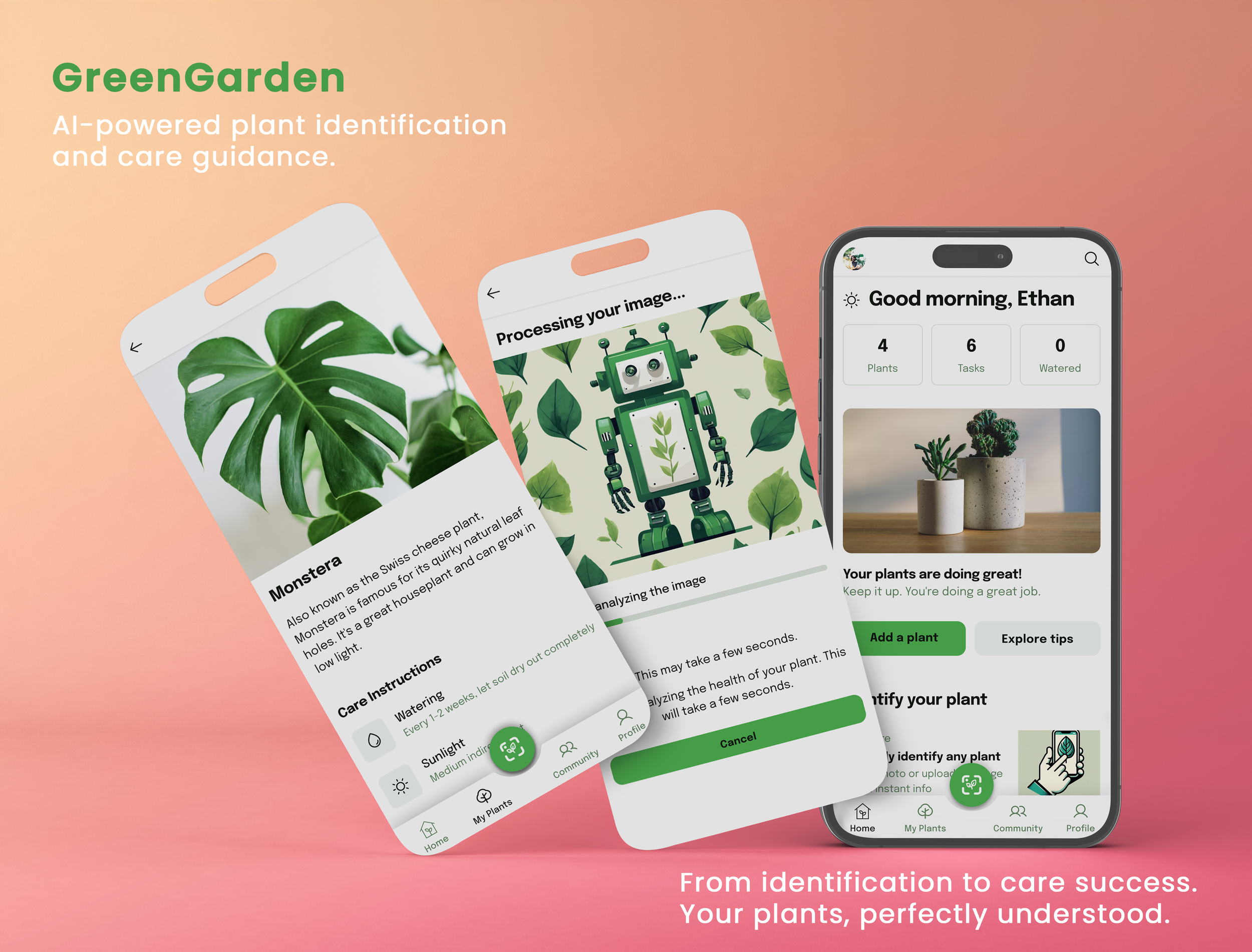
GREEN GARDEN
Smart Plant Management App
Overview
ROLE
Product Design (UX/UI)
TIMELINE
9 weeks - 80+ hours
TOOLS USED:
Figma
This project was completed as a personal project to explore plant care user needs and develop a comprehensive plant management solution.
Project Context
With the rise of indoor gardening, many new plant owners struggle to keep their plants alive and thriving. Existing solutions are either too simple or overly complex, failing to provide the right balance of guidance, tracking, and community support. As a result, users rely on multiple tools instead of one seamless experience.
Problem
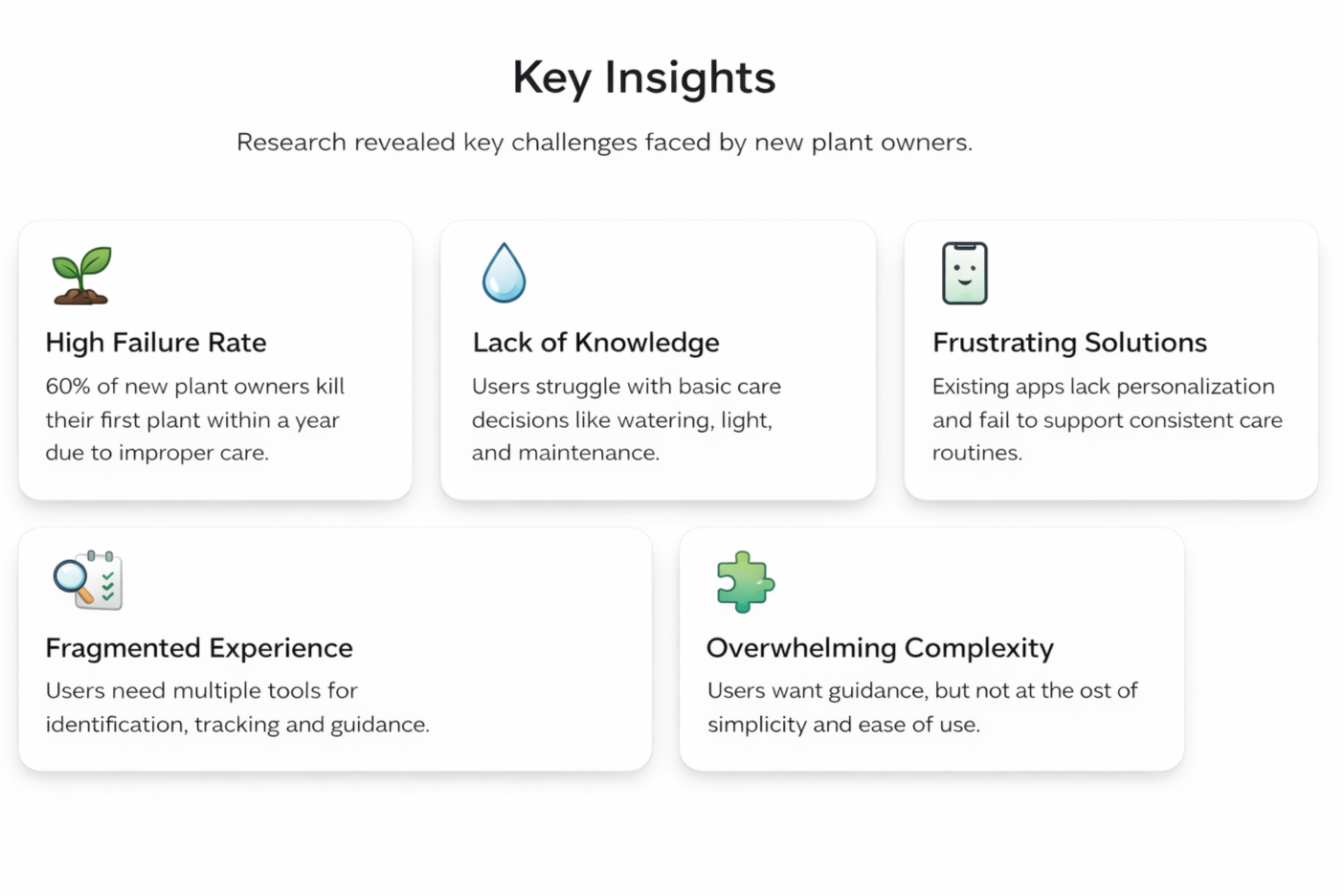
Research shows that 60% of new plant owners struggle to keep their plants alive, often due to lack of care knowledge and inconsistent routines. Existing solutions fail to provide personalized, easy-to-follow guidance.
Design Challenge
How might we design a plant care app that helps users maintain their plants successfully, build confidence, and integrate care routines into their daily lives—without overwhelming them?
Project Goal
Create a comprehensive plant care app that helps users care for their plants through personalized guidance, smart tracking, and community support.

Empathize

Define

Ideate

Prototype

Test
01 / Empathize - Exploring the User's Needs
Overview
Research Approach
Customer Interviews
Research Approach
To understand how people care for their plants, I conducted user interviews focusing on behaviors, challenges, and motivations around plant care.
Participants
8 plant owners (22–45 years old)
Owned at least 3 houseplants
Mix of beginners and experienced users
Method
45–60 minute semi-structured interviews
Open-ended questions to explore real experiences
Research Goals
Identify plant care habits and patterns
Discover pain points and unmet needs
Understand emotional connection to plants
Explore motivations behind plant ownership
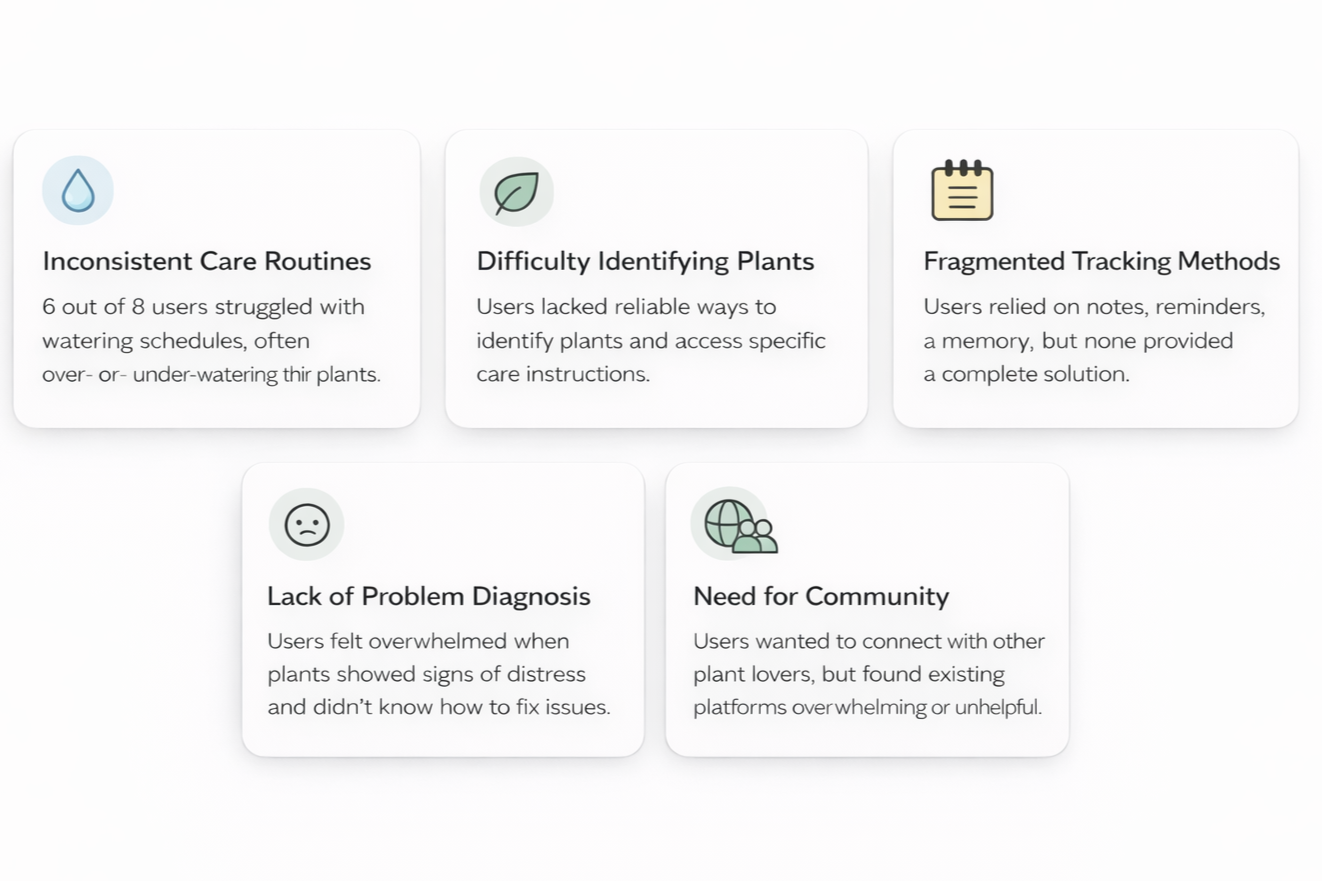
Customer Interview Findings
Key insights gathered from 8 user interviews.
02 / Define - Establishing the User's Needs and Problems
Overview
Persona Development
Problem Statements
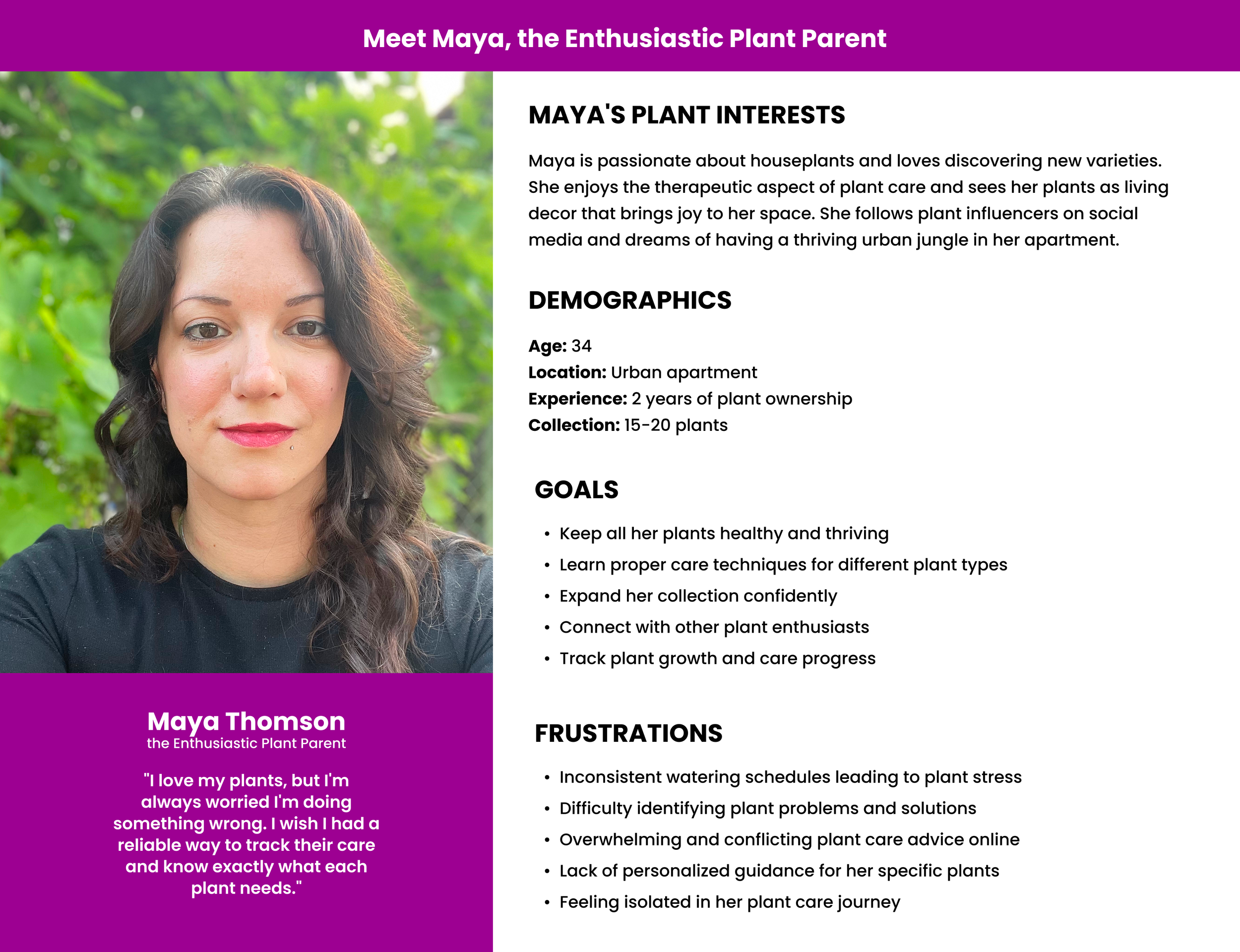
Persona Development
Interview participants varied in experience, from beginners to advanced plant enthusiasts. Despite these differences, all users struggled with maintaining consistent care routines and identifying their plants reliably.
To focus the solution, I created Maya as the primary persona. She represents a passionate plant owner with moderate experience who wants to grow her collection but needs better tools to care for her plants confidently and consistently.
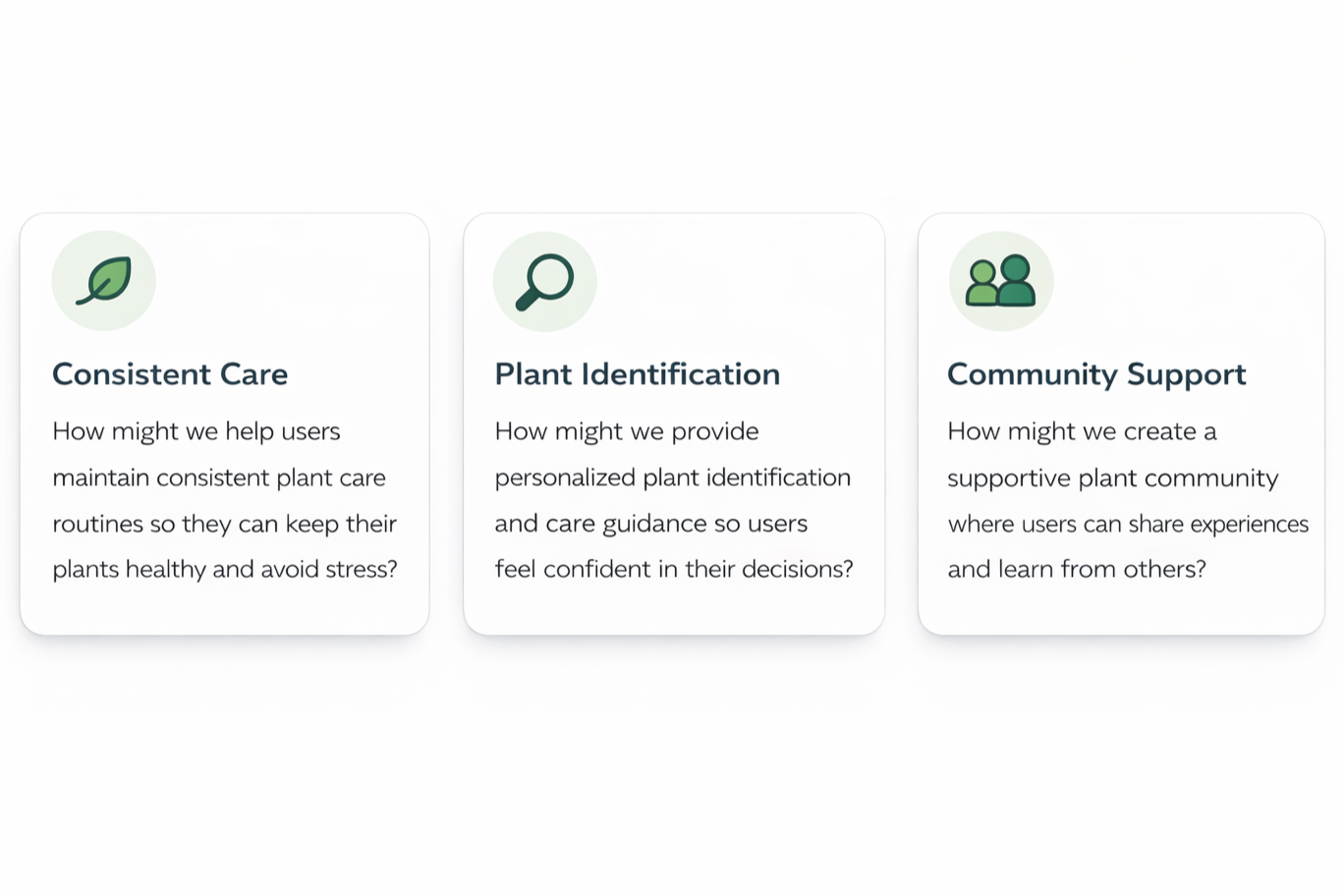
Problem Statements
Based on research insights, key challenges were translated into design opportunities.
03 / Ideate - Creating the Framework
Overview
Ideation
Storyboarding
User Flow
Ideation
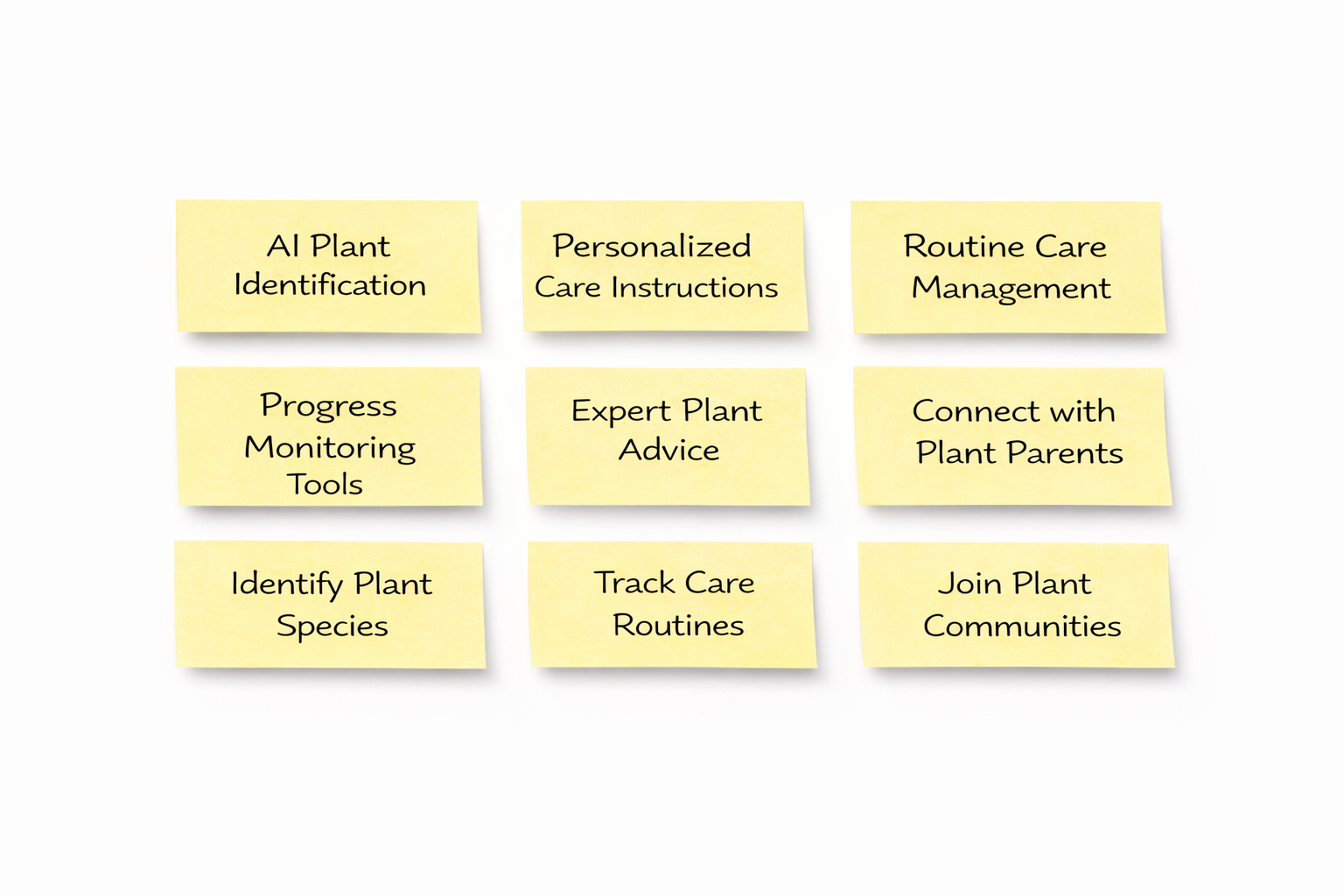
I explored multiple ideas to address the key user needs identified during research. Using Miro, I brainstormed and grouped potential features for the app.
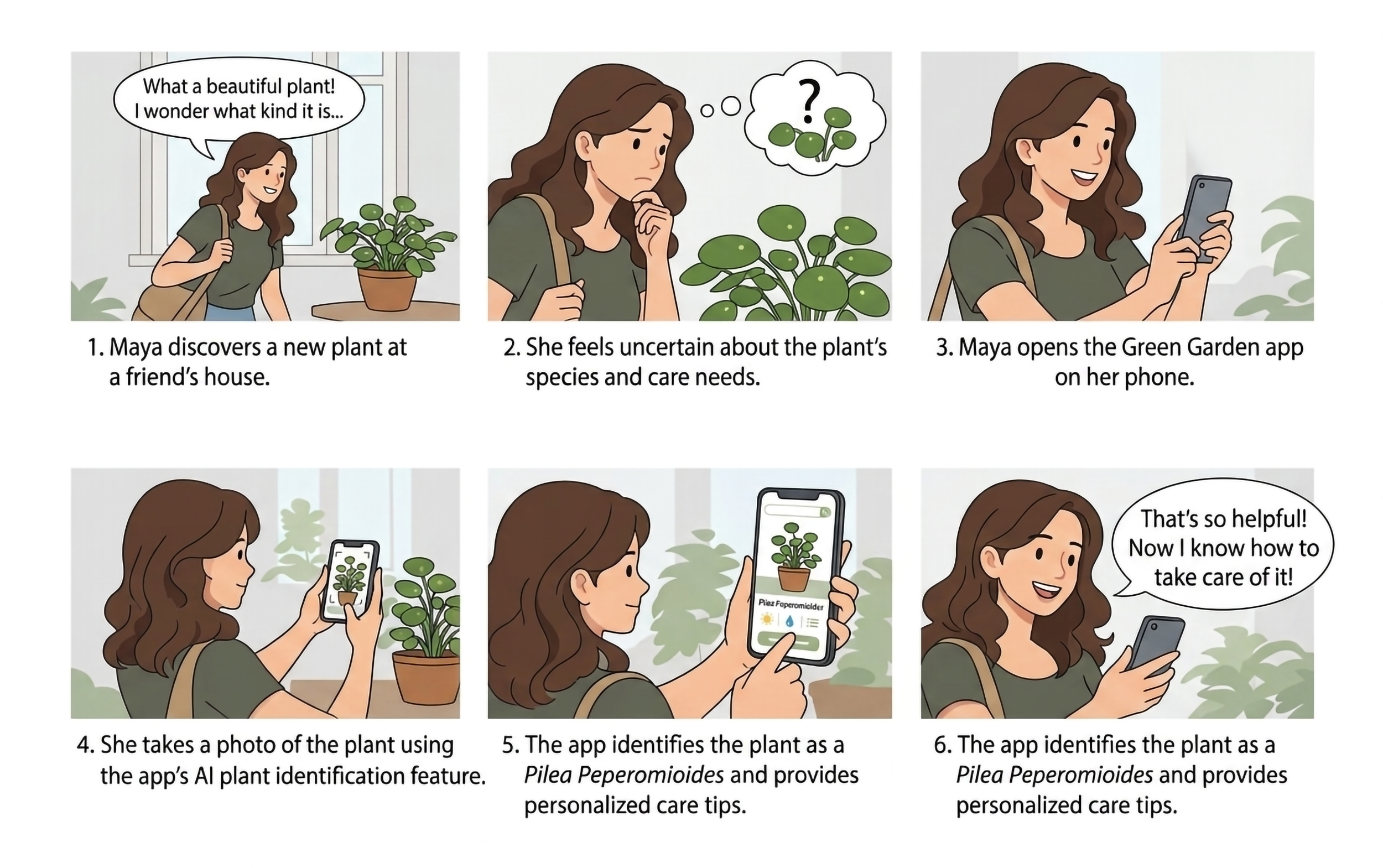
Storyboarding
To visualize how users interact with the app in real life, I created a storyboard focused on the plant identification journey.
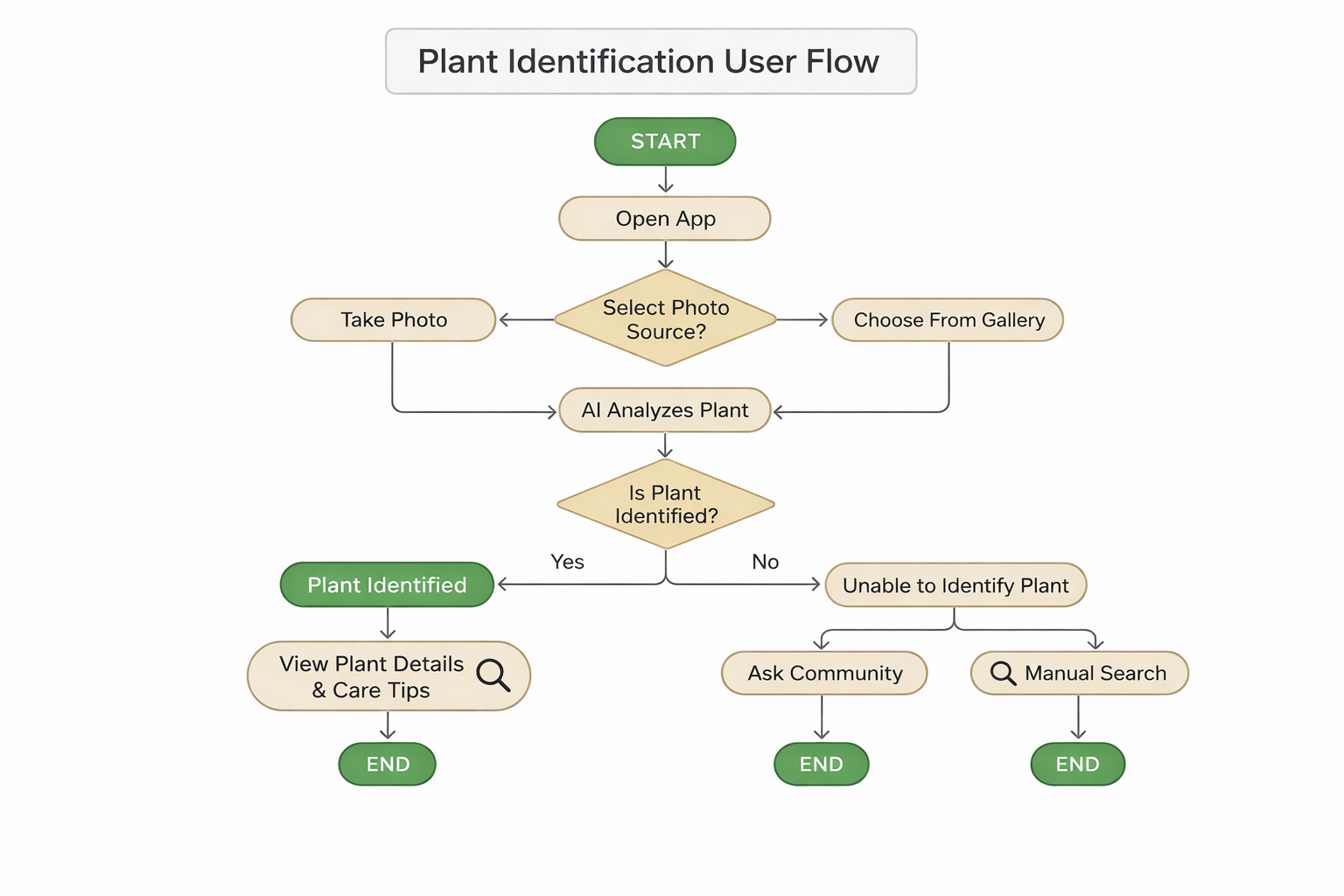
User Flow
I mapped the user flow for the plant identification feature, outlining each step from capturing an image to receiving results and next actions.
04 / Prototype - Let's make the Design!
Overview
Wireframes
Low Fidelity Prototype & Usability Testing
Final Design
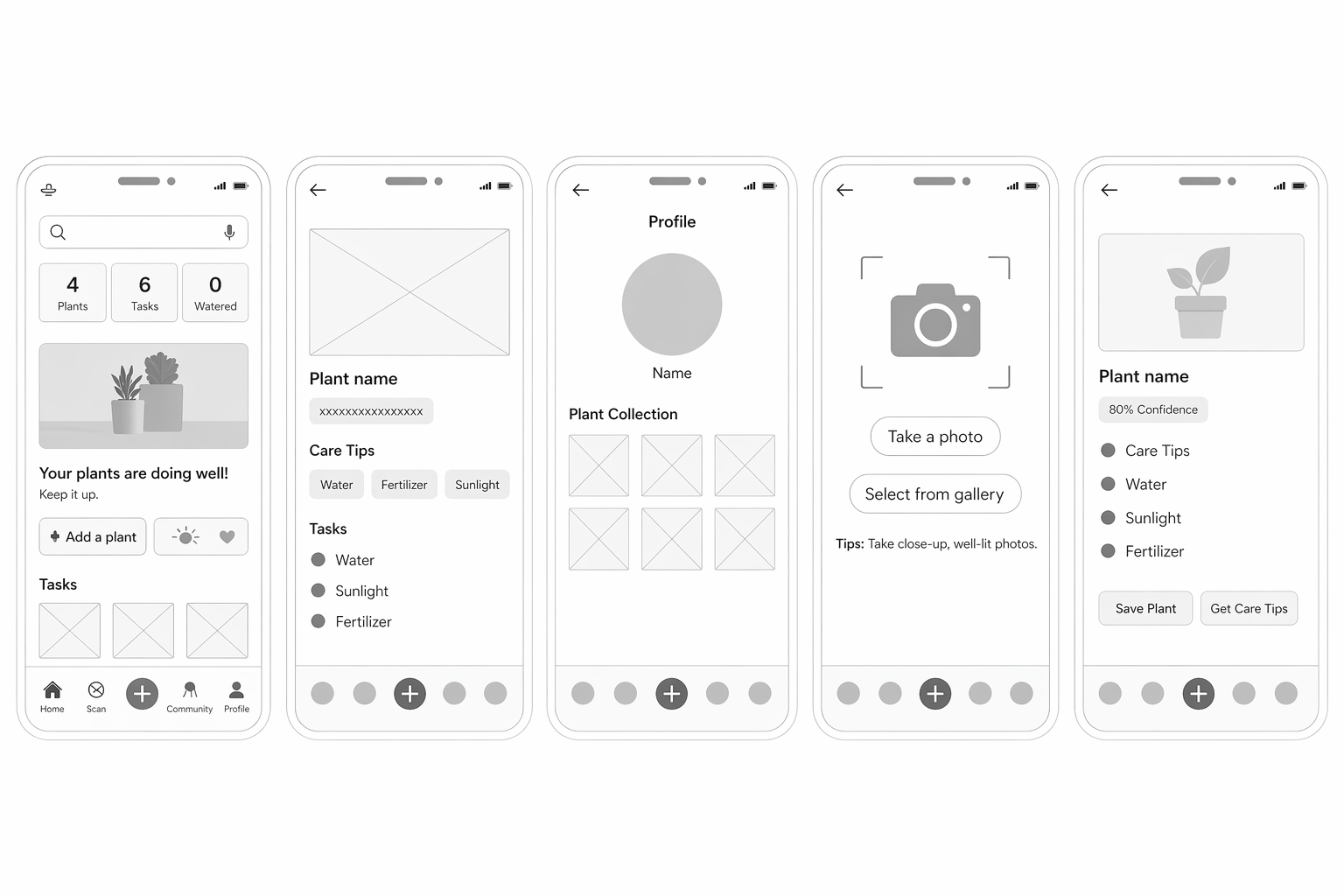
Wireframes
I explored different layout and interaction ideas for the plant identification feature.
The goal was to create a seamless flow from identification to care guidance and community support.
Low-Fidelity Prototype & Usability Testing
I created a low-fidelity prototype to test the core plant identification flow and evaluate usability with target users.
Photo Guidance Needed
Users were unsure how to take effective plant photos and needed clearer guidance.Confidence Indicator Confusion
Users did not fully understand AI confidence scores.Saving Plants
Some users struggled to find how to save plants to their collection.Multiple Matches
Users wanted better visual comparison between similar plants.Community Support
Users expected help from other plant owners when AI fails.
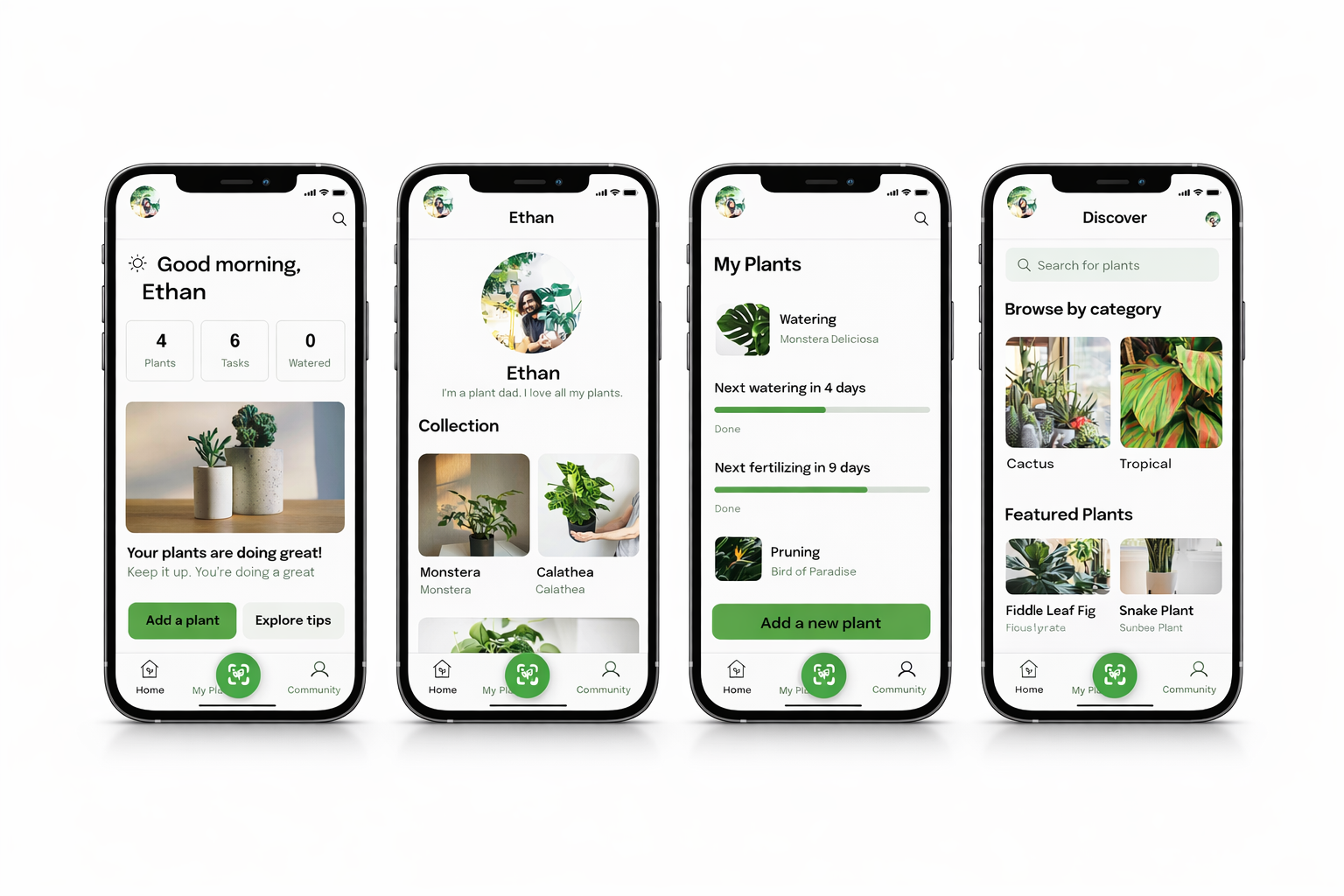
High Fidelity Prototype
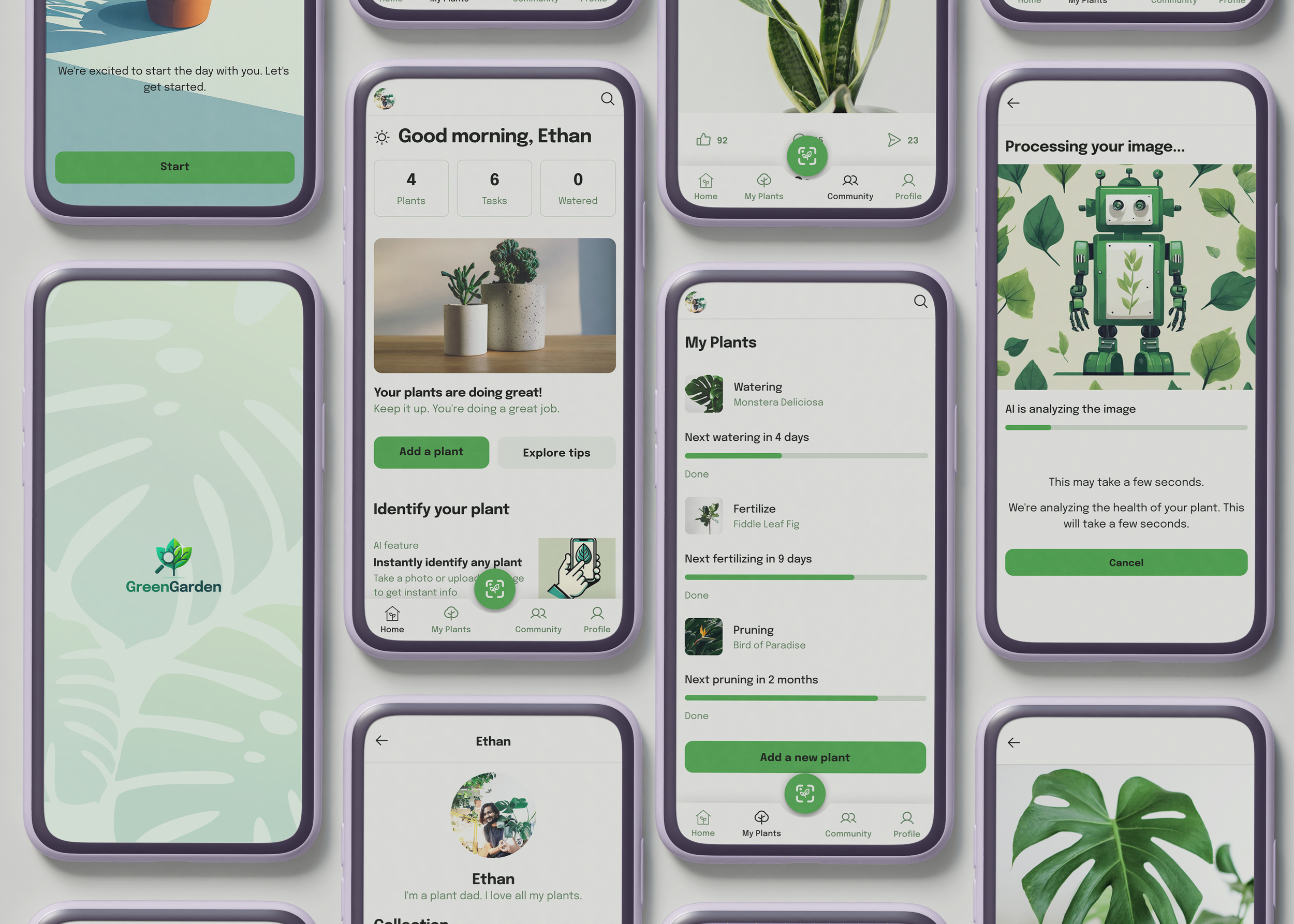
Based on usability testing insights, I refined the design to create a clear, intuitive, and supportive plant care experience.
AI Plant Identification
Instantly identify plants using the camera.Smart Care Guidance
Personalized instructions based on plant type.Plant Collection Tracking
Save and manage plants in one place.
Adaptive Interface (Light & Dark Mode)
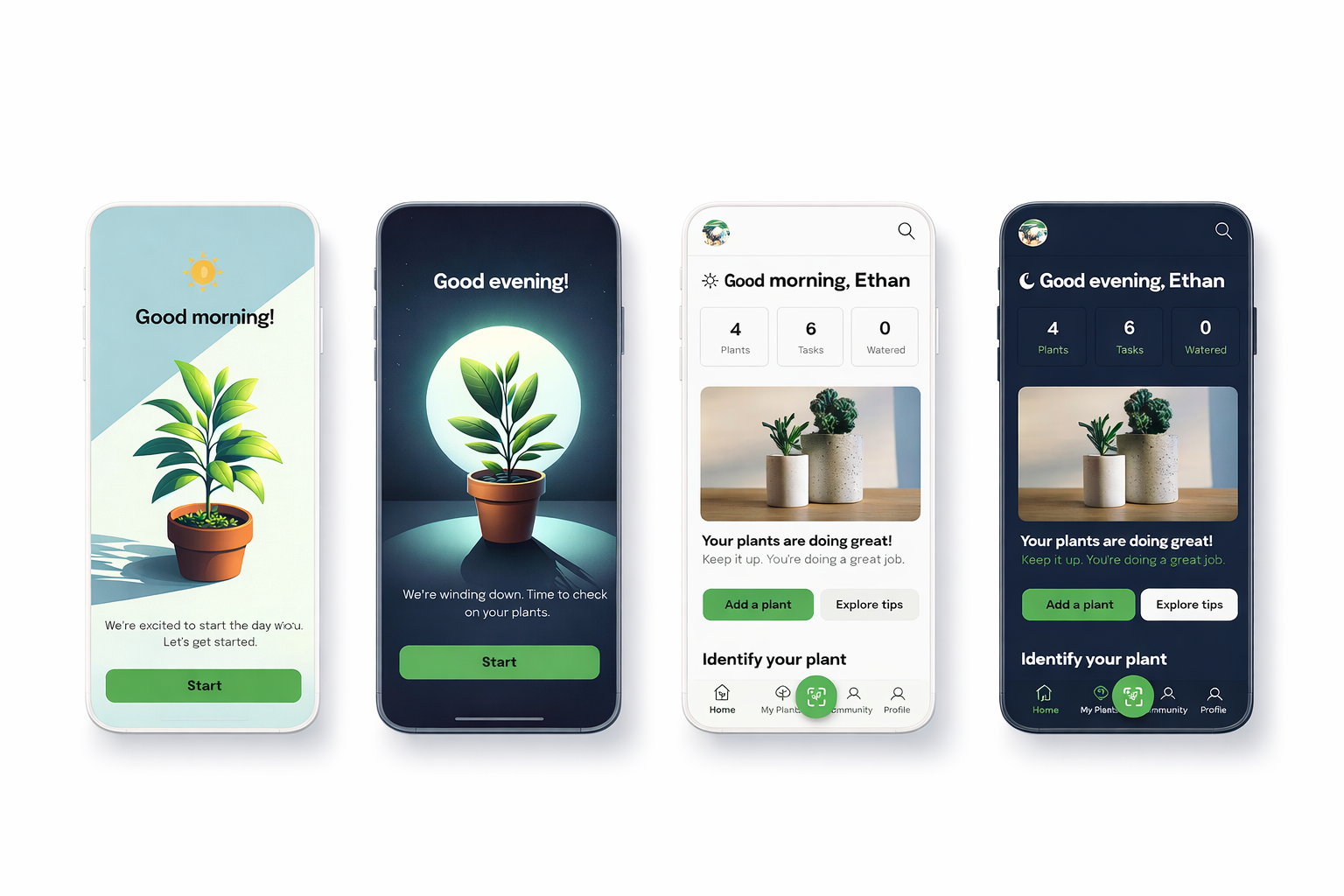
To enhance usability and visual comfort, I designed both light and dark modes for key screens, ensuring consistency and accessibility across different environments.
05 / Test - It's time to test the Prototype!
Overview
Usability Test Plan
Usability Test Findings
Priority Revisions
Next Steps
Usability Test Plan
I conducted usability testing with 5 plant enthusiasts, including both previous and new participants, to evaluate the final prototype.
Usability Test Findings
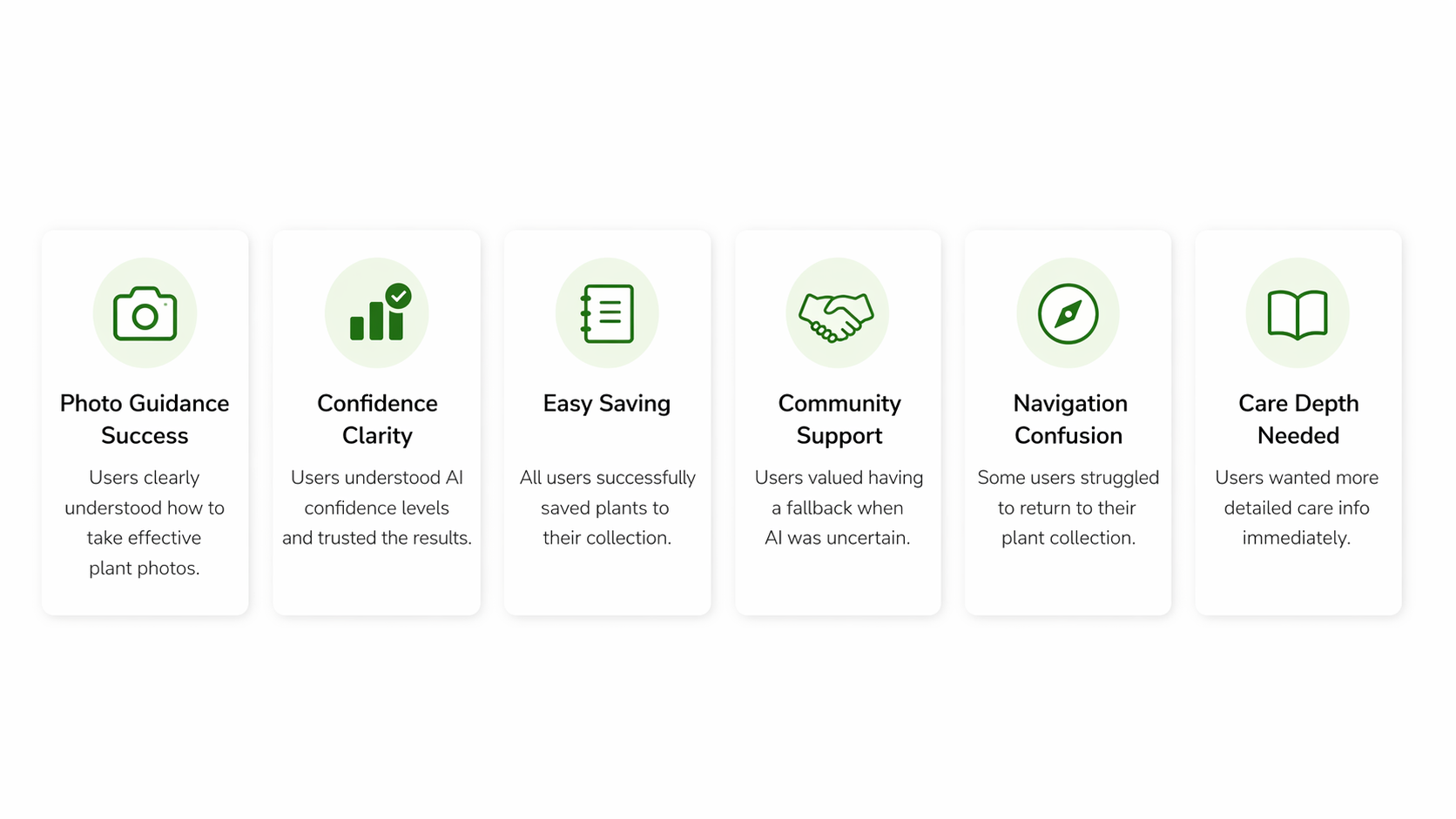
Priority Revisions
Improved Navigation
Added clearer pathways back to the plant collection.Faster Care Access
Introduced “View Full Care Guide” directly on results.Better Care Summary
Displayed essential care info immediately after identification.
Next Steps
Future improvements would focus on expanding care tracking, enhancing community features, and optimizing AI accuracy through further testing.
Reflections & Take-aways
This project challenged me to design beyond interfaces and focus on solving real user problems through a complete product experience.
Designed for uncertainty, creating guidance and fallback options to build user confidence
Gained deeper understanding of users through in-depth interviews and emotional insights
Learned to think in connected systems, not isolated features
Explored solutions beyond existing apps through structured ideation
Improved ability to translate research into practical design decisions